Meet Percy
Economy with items, leveling with rank cards, moderation, music and more for your server, all configurable from a web dashboard or with commands.
36servers
15kmembers
436commands
3duptime
Economy & items
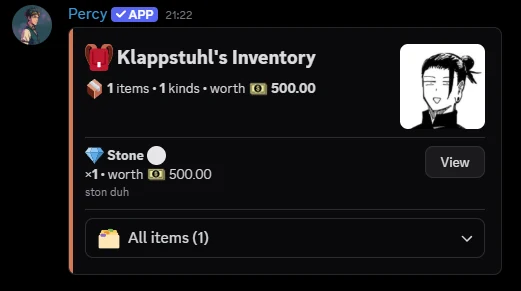
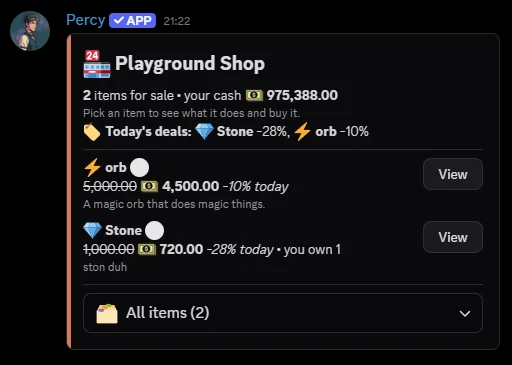
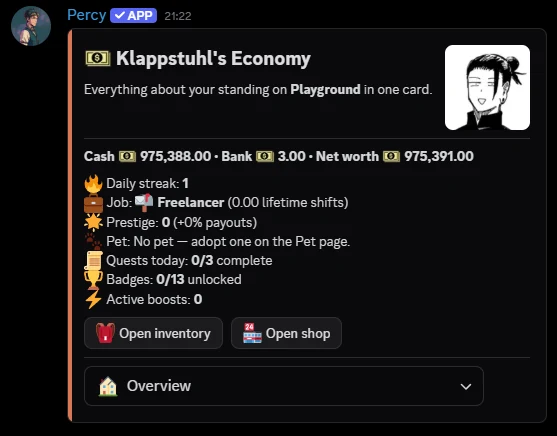
A server economy members actually use: items with effects, a shop and an inventory.
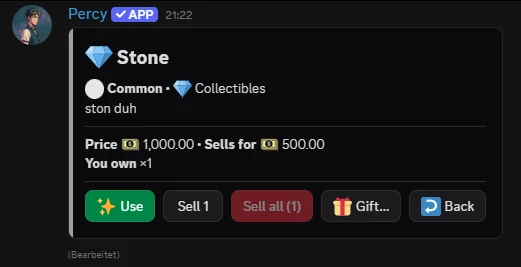
- Items with effects, rarity and optional stock limits or role requirements.
- A shop and an inventory members browse in Discord, with trading between members.
- Balances, daily rewards and games, all adjustable from the dashboard.
Leveling & rank cards
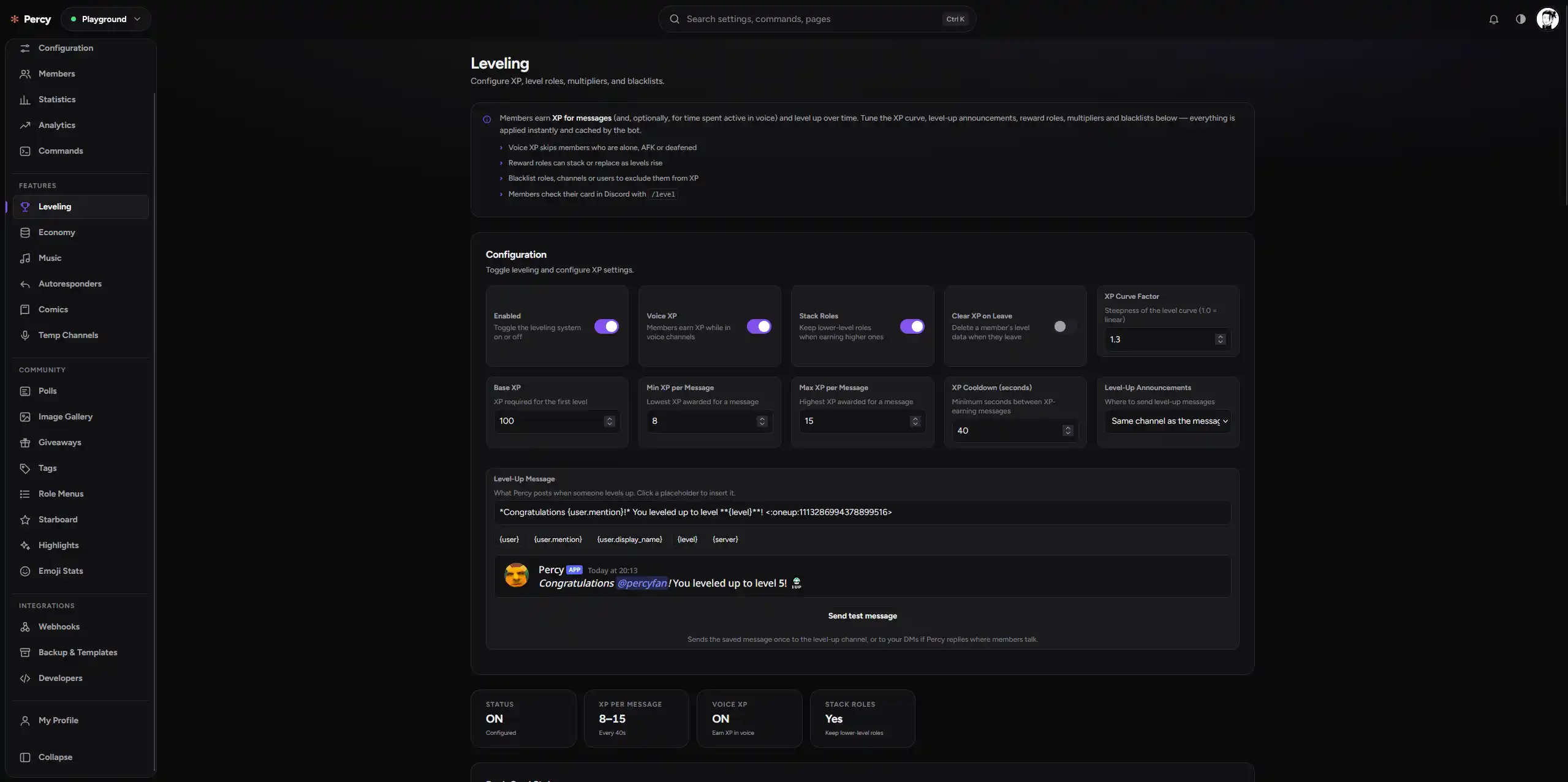
XP from chatting, rewards for climbing, and a rank card members can make their own.
- Reward roles, XP multipliers and blacklists per server.
- Rank cards with theme, accent, bar and font presets; admins can set a default or lock it.
- Level-up messages with your own template and a leaderboard on the dashboard.


Moderation & notifications
Keep a record of every action, and let your helpers ask instead of guessing.
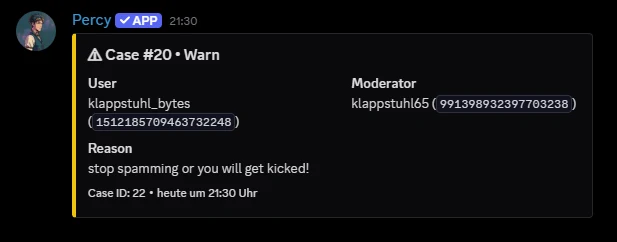
- Kick, ban, timeout, warn and purge, each recorded as a case with a reason.
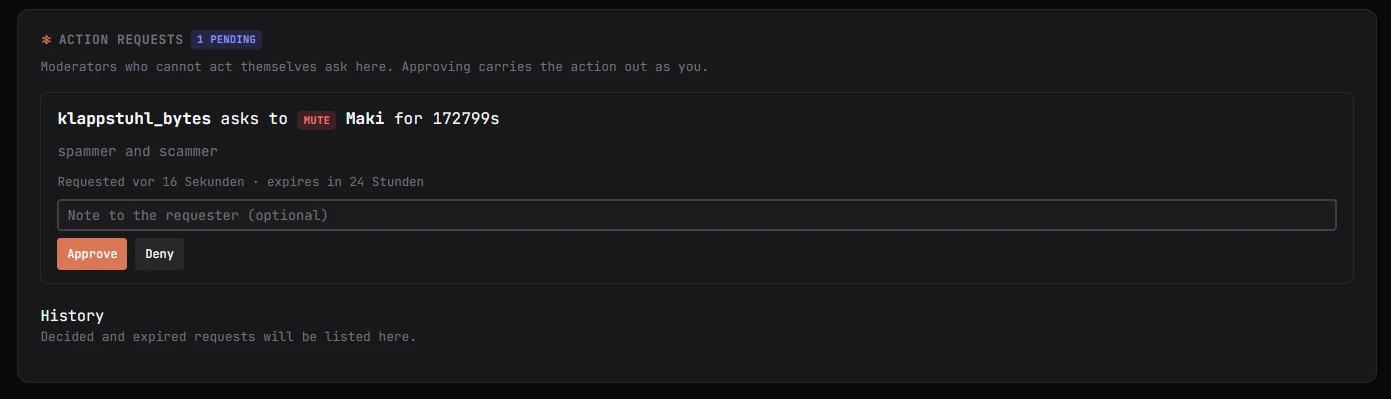
- Helpers file action requests that a moderator approves or denies with one button.
Music
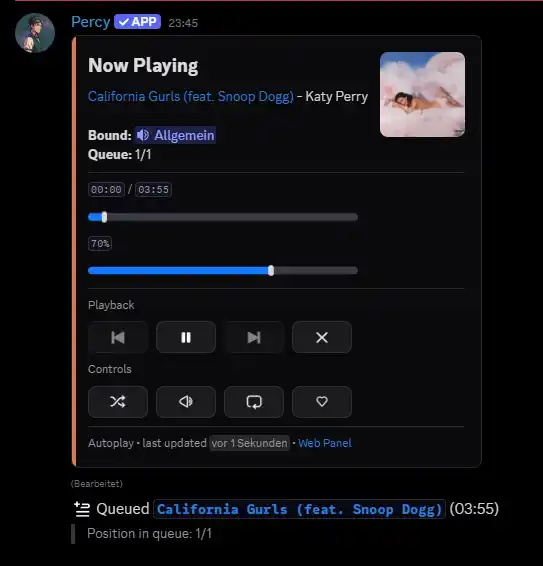
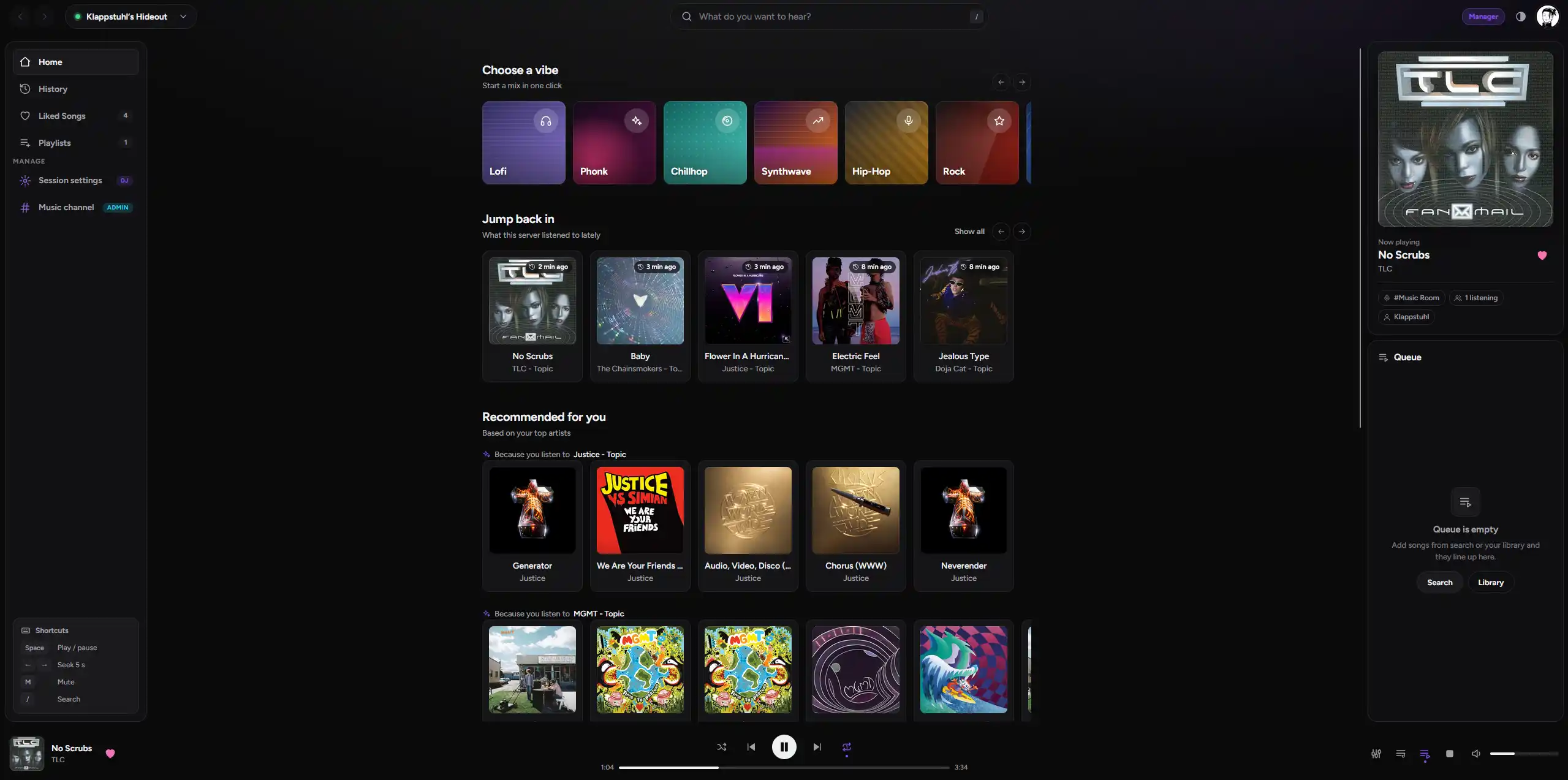
A player panel in your channel, with controls that work from Discord and the dashboard.
- Queue, loop, shuffle, seek and volume from the panel buttons.
- Equalizer and filters, plus an always-on mode for a voice channel.
- Time-synced lyrics for the track that is playing.
AI assistant optional
Percy can answer questions about itself using a self-hosted model. It is off by default.
- Each AI feature is a per-server switch, with per-channel overrides.
- Ask how to set something up and get an answer based on Percy's real command list.
- When it is off or unavailable, every command behaves exactly as it always did.

Configure everything without a command
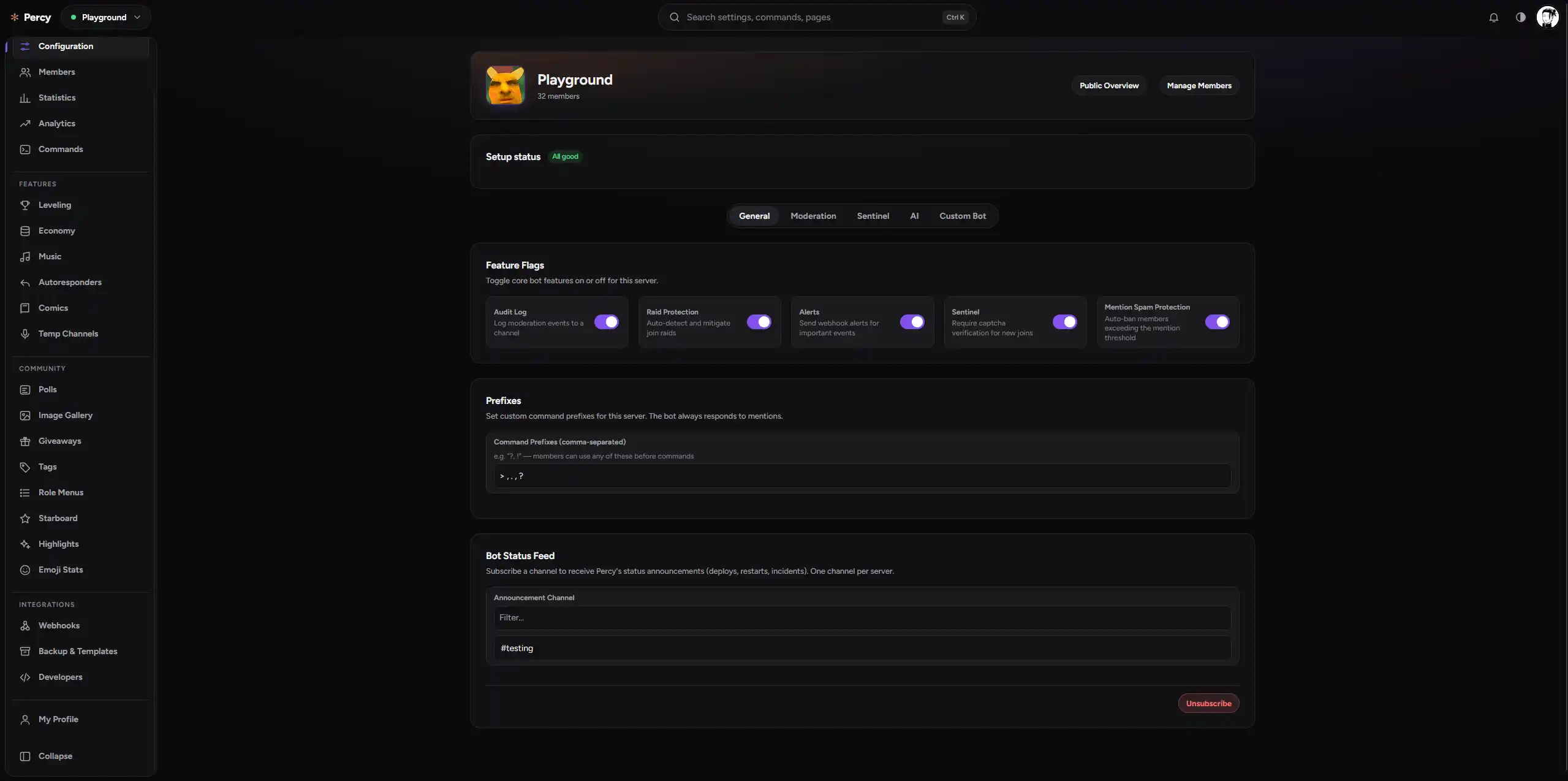
The dashboard covers every setting, member action and live statistic, and has a full music app for listening along.
Start in 3 steps
- Invite Percy. Pick your server and approve the permissions.
- Open the dashboard. Sign in with Discord and choose the server.
- Pick features. Guided setup turns on logging, verification or leveling in a click.
Everything Percy does
AniList
10 commands
Comics
5 commands
Config
28 commands
CustomCommands
14 commands
Documentation
2 commands
Economy
67 commands
Emoji
7 commands
Games
34 commands
Giveaways
4 commands
Leveling
14 commands
Misc
56 commands
ModLog
18 commands
Moderation
42 commands
Music
51 commands
Notifications
5 commands
Polls
11 commands
Releases
3 commands
Reminder
4 commands
RoleMenus
6 commands
Snekbox
2 commands
Starboard
13 commands
Stats
16 commands
Tags
17 commands
User Settings
7 commands